

Find Your Kids Activity
Find Your Kids Activity
Your search results
10 Best Maths Apps for iPad to Keep Children Learning at Home
Looking for maths apps for iPad that children will actually open on their own? Whether you’re a parent, teacher, childminder or children’s activity provider, the right app can turn ten minutes of screen time into real maths practice.
Not every maths app on the App Store earns a place on a family iPad. Some are drill-heavy without being engaging. Others look fun but teach very little. The ten apps below strike the balance: they’re built around proper maths learning, children are willing to come back to them, and every one of them is a real app on the Apple App Store.
From early years through to upper primary, this guide covers the apps worth downloading, when to use them, and what each one actually costs. All suitable for an iPad, iPhone or iPod touch unless noted otherwise. App prices change, so verify in the App Store before you buy.
In this article:
- MathHero
- Khan Academy Kids
- Meet the Numberblocks!
- Prodigy Maths
- Monster Math 2
- Todo Maths
- Kahoot! Numbers by DragonBox
- Moose Math by Duck Duck Moose
- Marble Math Junior
- Photomath
What Age Should Kids Start Using Maths Apps?
Most of the apps listed here are suitable from the age of 3 or 4, with some free introductory apps appropriate even earlier. Children aged 5 to 10 benefit most, as this is the age when maths facts (addition, subtraction, multiplication and division) are being learnt and need regular practice.
The ideal maths-app session for a primary-aged child is roughly 10 to 15 minutes per day. Short, consistent practice builds fluency far more effectively than a weekly 45-minute session. Younger children should have even shorter sessions, around 5 to 10 minutes, to match their attention span.
Pairing iPad maths with hands-on activities (counting toys, playing with coins, cooking together) gives children the strongest foundation.
1. MathHero
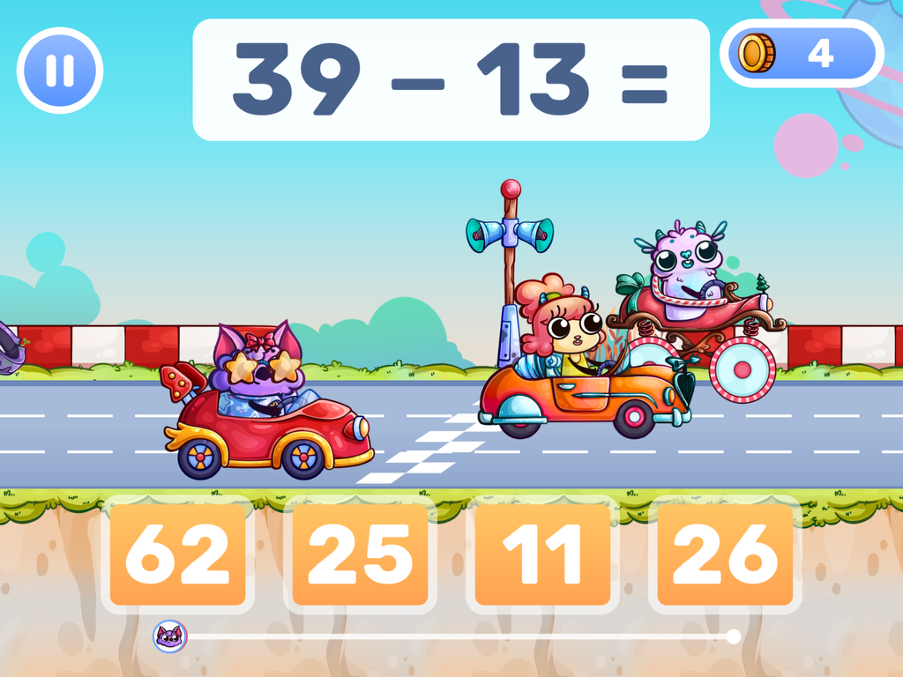
MathHero is a story-driven maths game for children aged 5 to 10, roughly Reception to Year 5. It features a complete adventure built around short maths challenges, with children progressing through chapters by solving facts. Each correct answer moves the story forward and rewards the child with coins to decorate their own hero.
Best for: Daily fluency practice in addition, subtraction, multiplication and division.
Age range: 5 to 10 (Reception to Year 5).
Session length: 10 to 15 minutes per child.
Price: Free at 5 levels per day, with no advertising and no locked content. A subscription removes the daily limit (prices vary by country, so check the App Store before you commit).
Why parents and childminders choose it: Children can have separate profiles with different difficulty settings, which matters when one iPad is shared between siblings or when a childminder has mixed-age groups. The app works offline, so it’s useful for family travel or days when Wi-Fi lets you down. For specific focus areas, MathHero offers dedicated multiplication games that let parents target weak times tables rather than cycle through everything the child already knows.
2. Khan Academy Kids
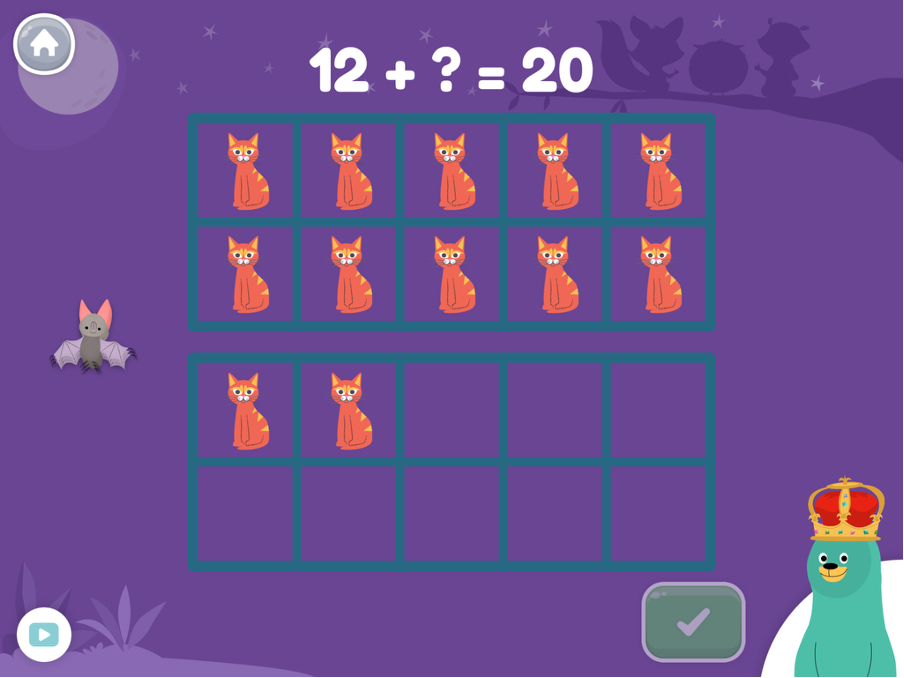
Khan Academy Kids is one of the few genuinely free educational apps aimed at preschoolers and early primary children. It covers early maths (counting, shapes, patterns, first addition), early reading, logic and social-emotional lessons, all presented through animated animal characters that young children get attached to.
Best for: First maths concepts for pre-reading children.
Age range: 2 to 7 (Nursery to Year 1).
Session length: 10 to 20 minutes.
Price: Fully free with no advertising and no in-app purchases.
Why parents choose it: Audio prompts guide children who can’t yet read, and the complete absence of ads makes it one of the safest free apps in the maths category. Khan Academy Kids runs out of challenging content once a child is confidently answering simple sums; at that stage, move the child up to MathHero or Prodigy Maths. For families looking to go deeper on addition specifically before that transition, MathHero’s dedicated addition games bridge the gap nicely, with sums within 10, 20, 100 and 1000 to grow into.
3. Meet the Numberblocks!
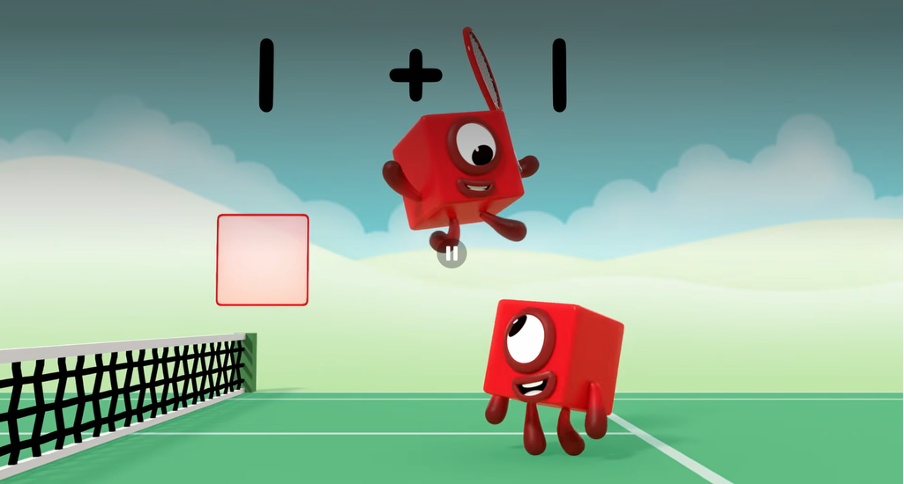
For UK families already familiar with the BAFTA-winning CBeebies show, “Meet the Numberblocks!” is a free introductory app from Blue-Zoo featuring Numberblocks 1 to 20. Children tap each Numberblock to hear catchphrases, watch the characters change shape, and get to know their favourite number friends.
Best for: Introducing number recognition and counting to young children through familiar characters.
Age range: 2 to 6 (Nursery to Reception).
Session length: 5 to 15 minutes.
Price: Fully free, no in-app purchases, no advertising.
Why parents choose it: Children who watch Numberblocks on CBeebies get genuinely excited to see their favourite number characters in a game, which gives this free app a longer shelf life than most. Blue-Zoo also publishes paid companion apps including Numberblocks: Hide and Seek and Numberblocks: Card Fun (each a one-time purchase of a few pounds; verify current App Store price) which extend into early addition and number bonds.
4. Prodigy Maths
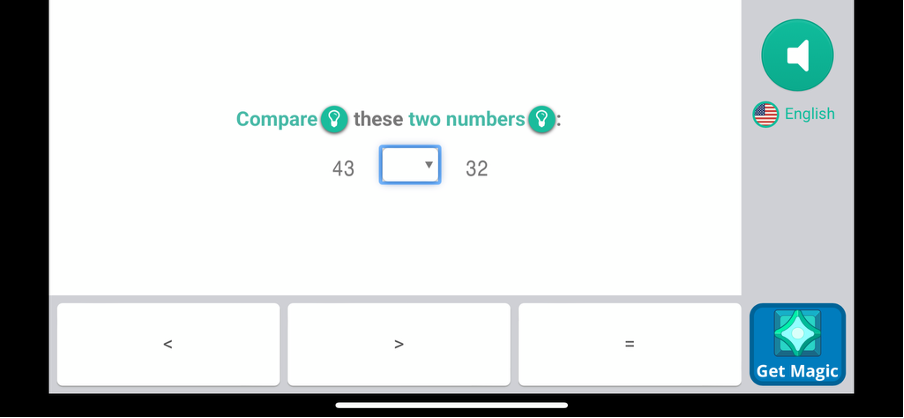
Prodigy Maths is a role-playing game where children build a wizard character, fight monsters and solve grade-level maths problems with each battle action. It covers maths from Year 1 to Year 8 and adapts the problems based on an initial preassessment.
Best for: Reluctant practisers who prefer games to drills.
Age range: 6 to 13 (Year 1 to Year 8).
Session length: 15 to 20 minutes, with a timer.
Price: Free to play. An optional Premium Membership adds pets, outfits and cosmetic unlocks (verify in-app pricing); none of the paid upgrades changes the maths content.
Why parents choose it: It’s genuinely engaging for children who refuse worksheets. The parent dashboard sends weekly progress reports, so parents can see which skills their child has been practising. The trade-off is attention economy. Children will spend time customising wizard outfits, so set a kitchen timer at the start of the session.
5. Monster Math 2
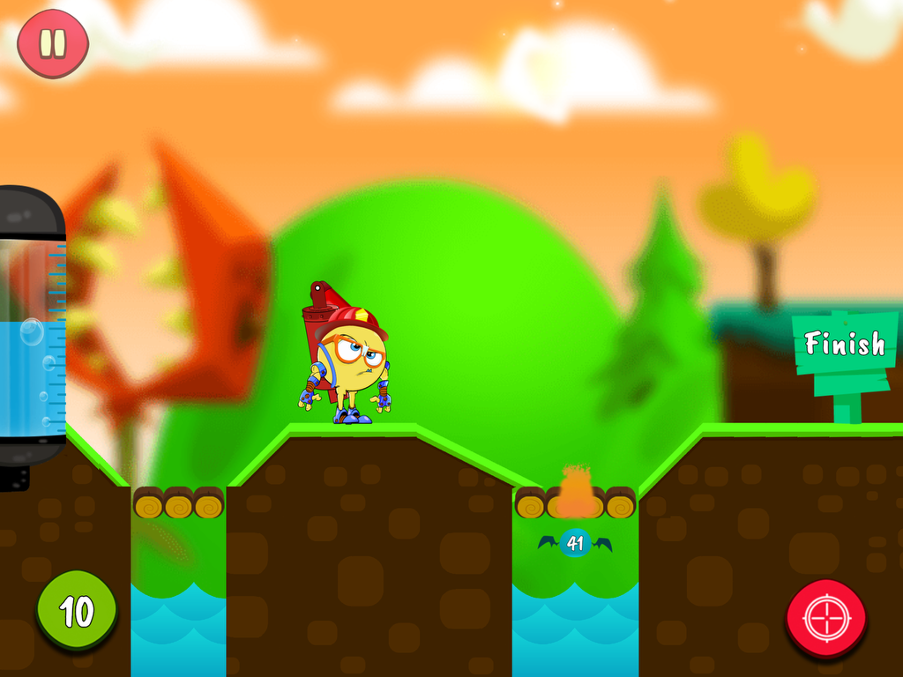
Monster Math 2 from Makkajai is a side-scrolling adventure where children run, jump and solve maths problems to defeat monsters. The game covers over 60 maths skills, from addition and subtraction through to factors, multiples and prime numbers.
Best for: Children in Year 1 to Year 5 who want adventure alongside their maths.
Age range: 6 to 10 (Year 1 to Year 5).
Session length: 15 to 20 minutes.
Price: Free download with an optional subscription for full content (verify current App Store pricing).
Why parents choose it: The breadth of concepts covered means Monster Math 2 keeps earning its place as children progress through primary school. Parent settings let you pick exactly which skills your child practises, which is useful for targeting a specific weak area without cycling through the whole curriculum.
6. Todo Maths
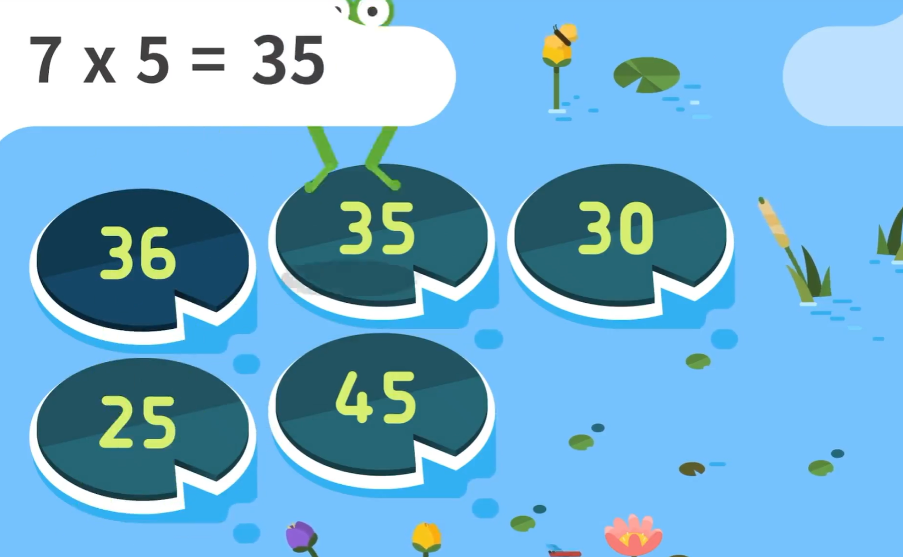
Todo Maths by Enuma is a structured maths app that walks children through concepts in a very deliberate, calm way. It was originally built for children with learning differences, which shows in the uncluttered design and the single-task-at-a-time pacing.
Best for: Children who get overwhelmed by busy, flashy apps.
Age range: 3 to 7 (Pre-K to Year 2).
Session length: 10 to 15 minutes.
Price: Free tier covers introductory content; a Family subscription unlocks the full curriculum (verify current App Store pricing).
Why parents choose it: The daily “mission” structure gives children a clear sense of start and finish, which cuts the “am I done yet?” questions. For a Reception child who finds Prodigy Maths or Monster Math 2 overstimulating, Todo Maths is the gentler alternative.
7. Kahoot! Numbers by DragonBox
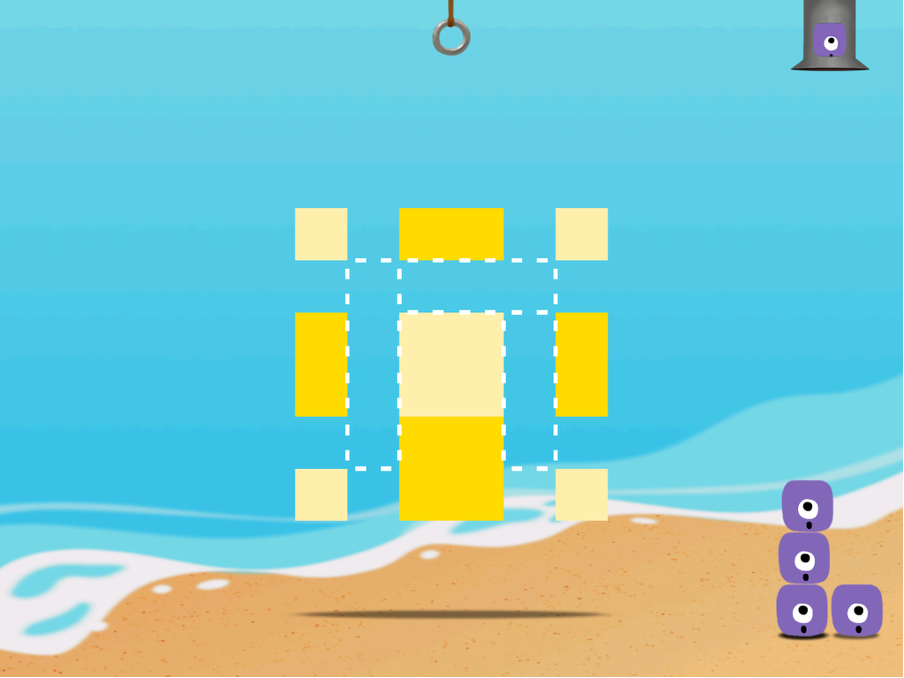
Kahoot! Numbers by DragonBox (originally released as DragonBox Numbers, now part of the Kahoot! Kids family) teaches children what numbers actually are by letting them stack, split and combine little creatures called Nooms. Each Noom represents a number; combining a two and a three visibly becomes a five, and a five can be split back into a two and a three.
Best for: Children who understand counting but need help seeing what addition and subtraction actually mean.
Age range: 4 to 8 (Reception to Year 3).
Session length: 10 to 15 minutes.
Price: Free to download, with a Kahoot! Kids subscription required for the full content (verify current pricing in-app or at kahoot.com).
Why parents choose it: Visual learners who struggle with abstract number lines on paper often click with the Nooms immediately. The Kahoot! Kids subscription also includes Kahoot! Multiplication, Kahoot! Big Numbers and Kahoot! Algebra by DragonBox, which extend the same visual approach into later stages.
8. Moose Math by Duck Duck Moose
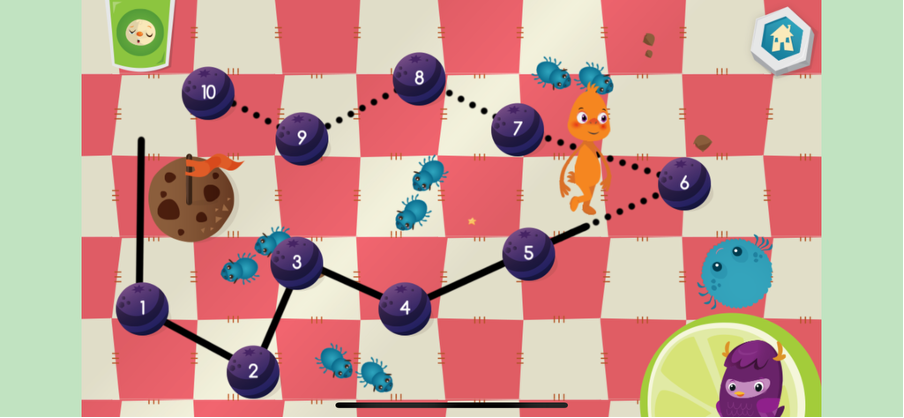
Moose Math, now owned by Khan Academy and completely free, teaches counting, addition, subtraction, sorting and geometry across five activities set in a small town the child builds up over time.
Best for: Early years children who like reward-based play.
Age range: 3 to 7 (Nursery to Year 1).
Session length: 10 to 15 minutes.
Price: Fully free, no advertising, no in-app purchases.
Why parents choose it: As with Khan Academy Kids, Moose Math earns extra trust because it’s maintained by a non-profit. The town-building reward loop appeals to children who like decoration and progression, which is a different motivation from the character-driven appeal of MathHero or the adventure appeal of Monster Math 2.
9. Marble Math Junior
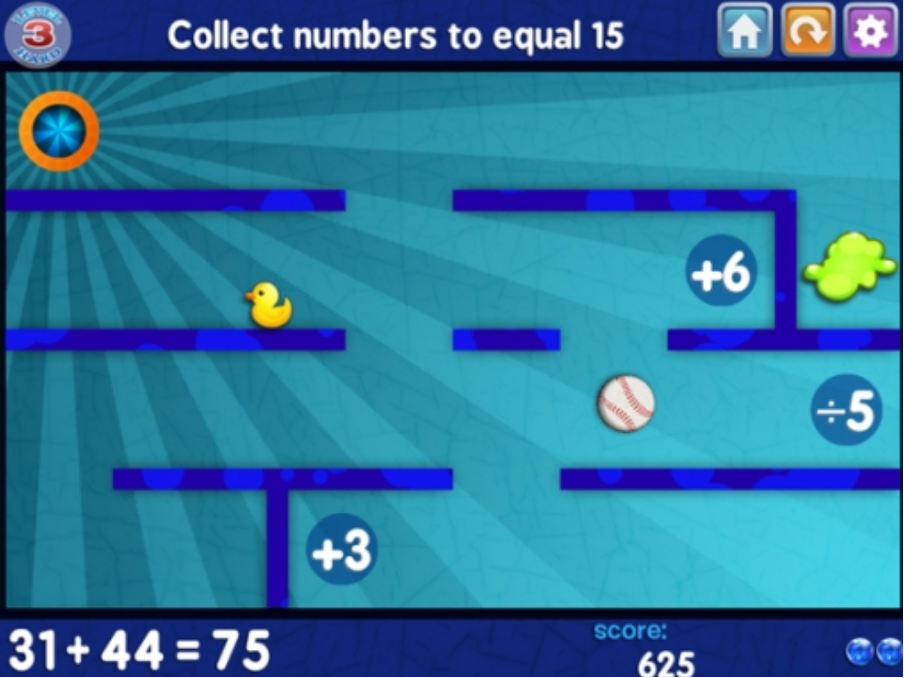
Marble Math Junior from Artgig Studio is a one-time purchase maze game where children tilt or swipe to roll a marble through a maze, collecting correct answers to maths problems and avoiding wrong ones.
Best for: Children who need extra motivation to practise basic facts.
Age range: 5 to 8 (Reception to Year 3).
Session length: 10 to 15 minutes.
Price: Paid one-time purchase, no subscription (verify current App Store price).
Why parents choose it: No subscription creep, no advertising, and three selectable control modes (tilt, swipe, trace), which help children who find tilt controls frustrating. For older children, the full Marble Math app covers maths through Year 6 at a similar price point.
10. Photomath
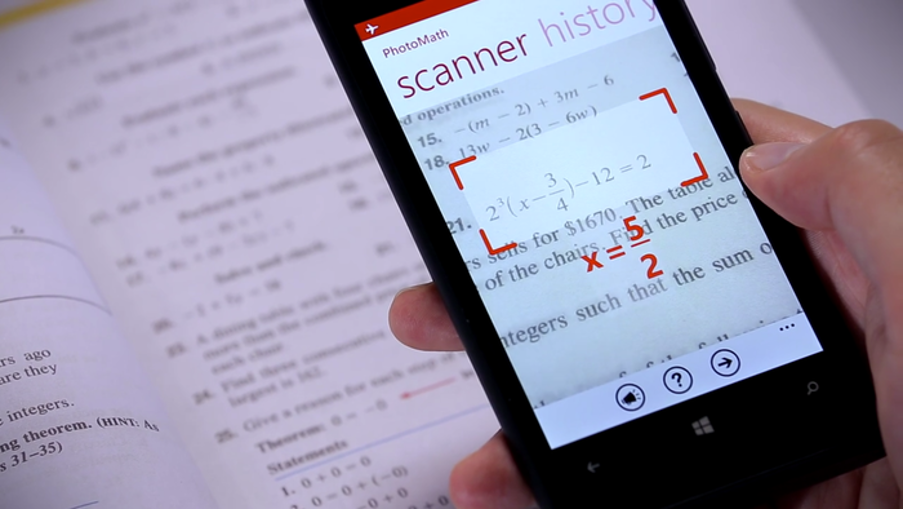
Photomath is the “homework rescue” app for upper primary children, parents and secondary students. The child points the iPad camera at a handwritten or printed maths problem; the app returns the answer plus a step-by-step method.
Best for: Stuck on homework, especially when parents can’t help.
Age range: 10 and up (Year 6 upwards and secondary).
Session length: As needed.
Price: Free tier covers basic solutions; Photomath Plus adds animated tutorials for a subscription (verify in-app).
Why parents choose it: It unsticks children who are genuinely stuck without requiring a parent to re-learn fractions or algebra. Set a house rule up front: your child uses Photomath after a real attempt, to check or to unstick, never as an answer machine. Used as a hint, it saves a 45-minute homework meltdown.
Best Maths Apps for iPad at a Glance
A quick-reference comparison of all ten apps for parents who want to scan rather than scroll.
| App | Age range | Best for | Price (verify current) |
| MathHero | 5-10 (Reception to Year 5) | Daily fact fluency across +, −, ×, ÷ | Free at 5 levels/day; subscription for unlimited |
| Khan Academy Kids | 2-7 (Nursery to Year 1) | First maths concepts, pre-reading | Fully free, no ads |
| Meet the Numberblocks! | 2-6 (Nursery to Reception) | Counting with familiar CBeebies characters | Fully free |
| Prodigy Maths | 6-13 (Year 1 to Year 8) | Reluctant practisers who like games | Free + optional Premium |
| Monster Math 2 | 6-10 (Year 1 to Year 5) | Adventure across 60+ maths skills | Free + optional subscription |
| Todo Maths | 3-7 (Pre-K to Year 2) | Children overwhelmed by busy apps | Free tier + Family subscription |
| Kahoot! Numbers by DragonBox | 4-8 (Reception to Year 3) | Seeing what addition and subtraction mean | Free download + Kahoot! Kids subscription |
| Moose Math | 3-7 (Nursery to Year 1) | Reward-based early years play | Fully free |
| Marble Math Junior | 5-8 (Reception to Year 3) | Fun maze practice, no subscription | Paid one-time |
| Photomath | 10+ (Year 6 upwards) | Homework rescue, step-by-step method | Free + Photomath Plus subscription |
Prices accurate at the time of writing. Subscription prices change often and vary by region, so verify in the App Store or on each app’s website before you commit.
Choosing a Maths App for Different Age Groups
When selecting a maths app for your child, start with their age and current level, not with what looks the most fun on screenshots.
Maths Apps for Toddlers (Ages 2 to 3)
Toddlers benefit from the gentlest apps on this list. Meet the Numberblocks! and Khan Academy Kids are the two to try first; both are fully free with no advertising. Keep sessions to five or ten minutes and sit alongside your toddler whilst they explore, naming numbers out loud as they tap.
Maths Apps for Preschoolers (Ages 3 to 5)
Preschool children are ready for more structure. Todo Maths, Moose Math and Kahoot! Numbers by DragonBox all suit this age group well. Children are still building number sense at this stage, so prioritise apps that make numbers visible and tangible rather than apps focused on fact drill.
Maths Apps for Primary School Children (Ages 5 to 11)
Primary-age children benefit most from the full range on this list. MathHero and Monster Math 2 are strong daily-practice choices from Year 1 onwards. Prodigy Maths works well for Year 2 upwards, especially for children who find traditional practice dull. Marble Math Junior sits nicely alongside these as an occasional extra. By Year 5 or 6, Photomath becomes genuinely useful for homework support.
Pairing iPad Maths with Off-Screen Activities
A maths app on its own is only one part of the picture. Children build real number confidence when screen-based practice is paired with hands-on activities: counting objects at bath time, laying tables, sorting Lego by colour, playing with real coins, cooking together, walking to school and counting the postboxes.
Early years practitioners and parents of younger children may find these counting activities for preschoolers a useful off-screen companion to any app from the list above. The combination of a short app session plus fifteen minutes of real-world counting makes maths feel less like a subject and more like something children just do.
Discover More Educational Activities with Club Hub UK
The right maths app can transform ten minutes of iPad time into real learning. Whether you choose MathHero for daily fact practice, Khan Academy Kids for your preschooler, or Photomath for the Year 6 homework crisis, consistency matters more than any single app. Short daily sessions, paired with off-screen counting and conversations about numbers, build fluency over a term in a way that occasional long sessions cannot.
At Club Hub UK, we love sharing resources that help children learn, develop new skills and explore the world around them. From educational classes to arts and crafts workshops, music lessons and sports clubs, our directory brings together thousands of activities for babies, toddlers and children all the way up to 18.